
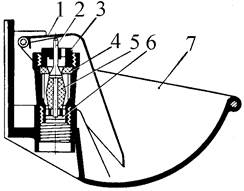
Индивидуальные и групповые автопоилки: для животных. Схемы и конструкции...
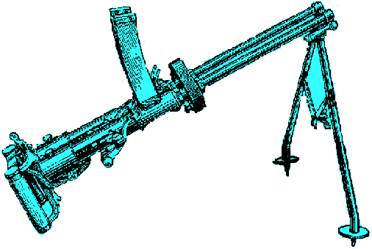
История развития пистолетов-пулеметов: Предпосылкой для возникновения пистолетов-пулеметов послужила давняя тенденция тяготения винтовок...
Индивидуальные и групповые автопоилки: для животных. Схемы и конструкции...
История развития пистолетов-пулеметов: Предпосылкой для возникновения пистолетов-пулеметов послужила давняя тенденция тяготения винтовок...
Топ:
Теоретическая значимость работы: Описание теоретической значимости (ценности) результатов исследования должно присутствовать во введении...
Характеристика АТП и сварочно-жестяницкого участка: Транспорт в настоящее время является одной из важнейших отраслей народного хозяйства...
Интересное:
Мероприятия для защиты от морозного пучения грунтов: Инженерная защита от морозного (криогенного) пучения грунтов необходима для легких малоэтажных зданий и других сооружений...
Принципы управления денежными потоками: одним из методов контроля за состоянием денежной наличности является...
Влияние предпринимательской среды на эффективное функционирование предприятия: Предпринимательская среда – это совокупность внешних и внутренних факторов, оказывающих влияние на функционирование фирмы...
Дисциплины:
 2023-01-16 2023-01-16 |
 46 46 |

из
5.00
|
Заказать работу |
Содержание книги
Поиск на нашем сайте
|
|
|
|
o A. counts cells having alphabets
o B. counts empty cells
o C. counts cells having number
● D. counts non-empty cells
To insert slide numbers in presentation
o Insert a text box and select Insert >> Page Number
o Insert a textbox and select Insert >> Number >> Page Number
o Choose Insert >> Page Number
o Insert a new textbox and select View >> slide Number
● Insert a new textbox and select Insert >> slide Number
358. When sharing documents there are two options, depending on how much access you would like others to have. These are …..
● Viewers or collaborators
o Friends and family
o Course creators and course sharing
o Viewers and friends
o Collaborators and friends
Google docs are
o Accessible to everyone on the internet
● Only accessible to others that you explicitly share them with
o Cannot be shared at all
o Only accessible to friends
o None of above
Borders can be applied to
o cells
o paragraph
o text
● All of above
Which is the best slide layout for displaying blocks of text?
o Blank
o Title
o None of the above
● Title and Body
o Body
Google Docs allows you to create the following documents:
● Documents
o Spreadsheets
o Presentation
o Forms
o All of the above
Which of the following objects can you add to a Google Presentation slide?
o YouTube videos
o Graphic shapes
o Picture files
o Text
● All of the above
A predesigned collection of background images, color schemes, and fonts
o Format
● Theme
o Template
o Layout
o None of the above
365. Some things you can do with Google presentations include:
o Import presentations in .ppt and .pps file types and export your online ones
o Insert images and videos, and format your slides as you want
o Allow simultaneous real-time viewing of presentations, online, from remote locations
o Publish and embed your presentations in a website for the world to view
● All of the above
Which of the following is not a part of Slide Design?
o Design Template
o Color Scheme
o Animation Scheme
● Slide Numbering
o All of the above
To add a chart to your presentation, do which the following?
● Insert an object as an image from Google Spreadsheets
o Invite others to view the presentation
o Insert images and videos, and format your slides as you want
o Email copies of the presentation to viewers
o Export the file into Microsoft PowerPoint format
368. A symbol such as a heavy dot or other character that precedes text in a presentation is called a(an) ____.
o Asterisk
● Bullet
o List
o Text slide
o Shape
Which of the following method can insert a new slide in current presentation?
o Right click on the Slide panel and choose New Slide
o From Insert menu choose New Slide
o Click on New Slide button on toolbar
● All of above
These are design templates that can be applied to an entire presentation that allows for consistency throughout the presentation.
o Designs
o Styles
● Themes
o Templates
o Transitions
Where are Google presentations files stored?
o On your computer's hard drive
o None of the above
● On Google Drive
o On your company or school network
o On flash card
Which of the following is not a category of transition?
o Subtle
o Exciting
o Dynamic Content
o All of above
● Emphasis
What is the text that appears on every slide but depending on the theme applied may not always appear at the bottom of a slide?
o Header
● Footer
o Numbering
o Notes Pages
o Layout
Which of the following option is not available in Insert tab?
o Chart
● Footnote
o Clip Art
o Word Art
o None of above
Which of the following is true regarding page Orientation of a Document?
● Page Orientation can be change at any time
o Page Orientation of document determines by printer
o Page Orientation must be set before start typing
o Page Orientation must be set after start typing
o Page Orientation of a document cannot be changed
376. To start a slide show using the keyboard, press ____.
o CTRL+S
o CTRL+ENTER
o F3
o F4
● F5
In a PowerPoint presentation
o Sound clips can be inserted but not movie clips
o Movie clips can be inserted but not sound clips
o Only Movie clips can be inserted
● Both can be inserted
o Only Sound clip can be inserted
|
|
|
Своеобразие русской архитектуры: Основной материал – дерево – быстрота постройки, но недолговечность и необходимость деления...
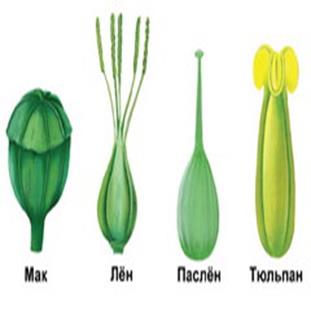
Таксономические единицы (категории) растений: Каждая система классификации состоит из определённых соподчиненных друг другу...
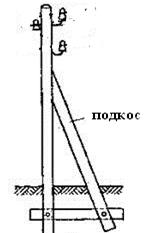
Опора деревянной одностоечной и способы укрепление угловых опор: Опоры ВЛ - конструкции, предназначенные для поддерживания проводов на необходимой высоте над землей, водой...
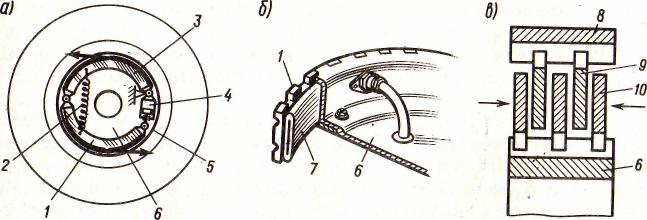
Автоматическое растормаживание колес: Тормозные устройства колес предназначены для уменьшения длины пробега и улучшения маневрирования ВС при...
© cyberpedia.su 2017-2026 - Не является автором материалов. Исключительное право сохранено за автором текста.
Если вы не хотите, чтобы данный материал был у нас на сайте, перейдите по ссылке: Нарушение авторских прав. Мы поможем в написании вашей работы!

